

Starting a home-based business is now easier than ever, even for retirees. Many user-friendly tech tools are available. These tools help seniors use their skills and experience to start successful businesses from home.
Whether you love to offer special services, sell homemade goods, or share your knowledge, the right tech makes it easy. It empowers you to start your business smoothly.
Key Takeaways
- Explore a variety of beginner-friendly tech tools to streamline your home-based business operations.
- Identify the essential communication, project management, and accounting software that can help you stay organized and efficient.
- Utilize design and social media tools to create a professional online presence and effectively promote your business.
- Leverage online learning resources to continuously develop your skills and stay up-to-date with the latest technology trends.
- Prioritize cybersecurity measures to protect your business and personal information in the digital landscape.
Understanding Your Business Needs
Starting a home-based business after retirement is exciting. First, identify your skills and interests. Think about what you love and what you’re good at. This helps pick a business that fits your strengths and boosts your success chances.
Then, evaluate your budget with care. Think about start-up costs like equipment and licenses. Also, consider ongoing expenses like rent and utilities. The
average yearly salary for a childcare business is $29,000. Virtual fitness trainers can earn $30,000 to $70,000 annually. Knowing this helps you make a smart choice.
Setting Your Goals
With your skills, interests, and budget in mind, set clear, achievable goals for your business. Short-term goals might be reaching a revenue target in the first year. Long-term goals could be growing your customer base or opening a physical store. Setting measurable goals helps you track your progress and adjust as needed.
Remember, the  key to success is knowing your strengths, planning your finances, and setting goals. With the right tools, your retirement can be a new, exciting chapter.
Essential Communication Tools
Good communication is key for your home business to succeed. As a retiree starting a small business, you need to talk to clients, partners, and your team. Luckily, there are easy tech solutions to help you communicate better.
Email Services
Email is a top choice for business talk. Services like Gmail, Outlook, and Yahoo Mail are easy to use and reliable. Pick an email service that works well with your other business tools.
Video Conferencing Applications
Today, we talk face-to-face online with video calls. Tools like Zoom, Skype, and Microsoft Teams let you meet, share screens, and work together live. Learn to mute, share screens, and record calls for later.
Instant Messaging Platforms
For fast, casual chats, use apps like WhatsApp, Slack, and Microsoft Teams. They let you send texts, images, and voice messages. This makes it easy to keep in touch with your team or clients all day.
It’s important to find the right mix of communication tools for your home business. Try out different options to see what works best for you and your business.
“Effective communication is the cornerstone of any successful home-based business. Embrace the power of digital tools to stay connected and ensure your business thrives.”
Project Management Tools for Organization
Starting a home business as a retiree means you need good project management. User-friendly software helps break down big projects into smaller tasks. It lets you track your progress, set deadlines, and work more efficiently. These tools are key for organizing your home business well.
Task Management Software
Tools like Nifty, Asana, and ClickUp have cool features. They offer visual roadmaps, different views, and work with other tools. You can also prioritize tasks and customize dashboards. These features help you manage your projects better.
Collaboration Platforms
Project management tools also help with teamwork. Basecamp and Trello make it easy to work together, even if you’re not in the same place. You can assign tasks, share files, talk to your team, and see how things are going. This is great for managing staff or serving customers at home.
| Tool | Key Features | Pricing |
|---|---|---|
| Nifty | Visual roadmaps, multiple workflow views, integrations, task prioritization, customizable dashboards | Free plan, paid plans start at $10/month |
| Asana | Task management, project planning, team collaboration, customizable views, mobile app | Free plan, paid plans start at $10.99/user/month |
| ClickUp | AI-powered task management, real-time collaboration, custom workflows, reporting, and automation | Free Forever plan, paid plans start at $5/member/month |
| Basecamp | Team communication, file sharing, task management, scheduling, and reporting | $99/month for unlimited users |
| Trello | Kanban-style boards, task management, file attachments, integrations, and mobile access | Free plan, paid plans start at $5/user/month |
Using these user-friendly software and tech resources for retired entrepreneurs helps you stay organized. You can manage your tasks well and work with your team effectively. This ensures your home business does well.

User-Friendly Accounting Software
Starting a home business as a retiree means you need to manage your finances well. Luckily, there are easy-to-use digital tools for retiree home businesses to help. These simple technology solutions for senior home-based businesses make accounting easier, whether you’re new or have a small business.
Best Free Options for Beginners
For beginners, free accounting software is a good place to start. Zoho Books has a free plan with features like syncing bank accounts and customer dashboards. It also handles up to 100,000 invoices a year. Wave also offers a free plan, starting at $20 a month for more features.
Paid Alternatives for Small Businesses
As your business grows, you might need paid software. Xero starts at $15 a month, with a 50% discount for the first three months. FreshBooks has a Lite plan for $3.80 per user, with discounts for the first three months. QuickBooks Online offers plans from $15 to $100 a month, depending on the tier.
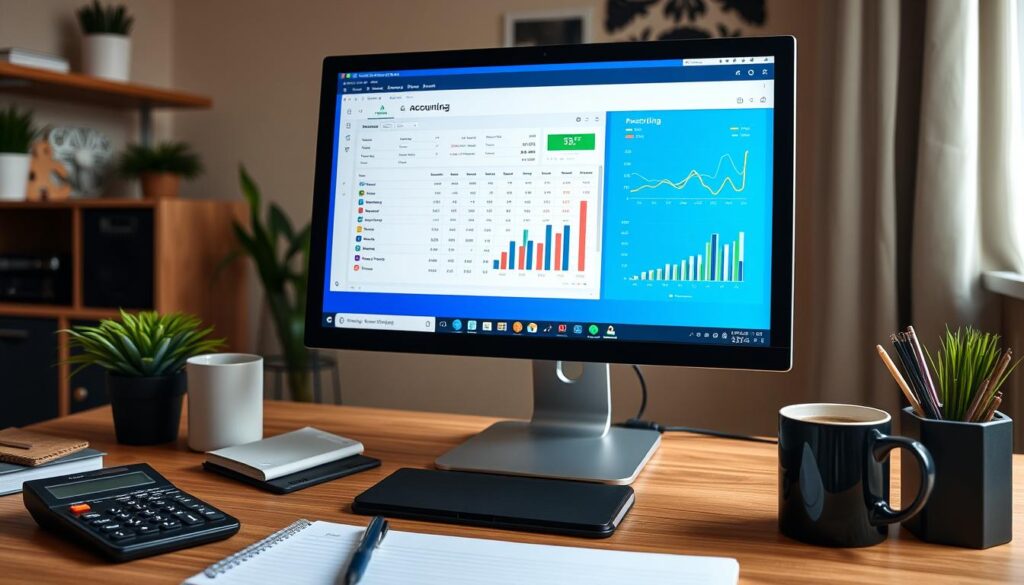
When picking accounting software, look for features you need, like invoicing or expense tracking. Many easy-to-use digital tools for retiree home businesses and simple technology solutions for senior home-based businesses have mobile apps and support for multiple users. This makes managing your finances easier, no matter where you are.
Designing for Your Business
As a retired home business owner, having a professional online presence is key to attracting clients. Luckily, there are easy-to-use graphic design tools and website builders with templates. These senior-friendly digital tools for home-based enterprises make designing a great website easy, even for beginners.
Graphic Design Tools
Platforms like Canva, Snapseed, and Adobe Express have simple drag-and-drop interfaces. They let you make stunning graphics, social media posts, and marketing materials easily. These tools come with pre-designed templates and lots of customization options, helping you create a strong visual identity for your business.
Website Builders with Templates
For building your website, Wix, Squarespace, and GoDaddy Website Builder offer easy platforms with pre-made templates. These templates are mobile-friendly and can be customized to fit your brand’s look. This way, you can have a professional website without needing to know how to code.
“Infographics are 30 times more likely to be read than an article with the same content,” showing how visual content grabs attention and shares information well.
By using these beginner-friendly tech tools, you can make a website that looks good and is easy to use. It will show off your business’s unique identity, making it more credible and attracting more customers.

Social Media Management
In today’s world, knowing how to manage social media is key for your online business as a retiree. By using the right platforms, you can promote your products and services well. This helps make your brand more visible.
Choosing the Right Platforms
First, pick the social media channels that fit your business goals and what your customers like. For example, Facebook is great for businesses that sell to consumers, with 2.85 billion users every month. Twitter is good for both B2B and B2C businesses, focusing on getting people to interact with your content.
When picking online business tools for seniors, think about what each platform offers. This helps you find the best tech resources for retired entrepreneurs to connect with your audience.
Scheduling Tools for Social Media
Keeping up with social media can be hard, but scheduling tools make it easier. Tools like Planable let you plan and schedule your posts ahead of time. This saves you time and keeps your social media active.
Using these tools helps your business stay active on social media, even when you’re busy. This can help you get more leads, increase brand awareness, and make your social media strategy more effective.
“Social media management can be a game-changer for retired entrepreneurs looking to promote their tech resources for retired entrepreneurs. With the right platforms and scheduling tools, you can reach your target audience and grow your business with ease.”
Marketing Tools to Promote Your Business
Starting a small business as a retiree means you need to market well to attract customers. Luckily, there are many easy-to-use tools to help you. These tools can help you promote your business and reach the right people.
Email Marketing Services
Email marketing is a strong way to keep in touch with customers and grow your leads. Tools like Mailchimp, Campaign Monitor, ConvertKit, and ActiveCampaign make it easy to start. They let you build email lists, send out newsletters, and automate messages. Prices start at $12-25 a month, which is good for small businesses.
SEO Tools for Beginners
Getting your website to show up in search results can really help your business. Semrush, TopicRanker, Content Harmony, and MarketMuse are easy to use SEO tools. They help you make your content better, find keywords, and track your rankings. Prices are from $11.67 to $117.33 a month, based on what you need.
Good marketing is about finding the right tools that fit your budget. With these tools, you can get your business seen by more people. This makes it easier to connect with customers.
Online Learning Resources
Starting a home business as a retiree means you need to keep learning. Luckily, there are many online resources. They help you learn user-friendly software for retirees and tech resources for retired entrepreneurs.
Tutorials and Courses for Tech Tools
Online tutorials and courses guide you through using tech tools for your business. Here are some great options:
- freeCodeCamp, with over 30,000 hours of free coding and data analysis content
- Udemy, featuring over 130,000 user-created courses, including 2,000+ coding-related classes
- The Odin Project, providing full-stack courses in Ruby and JavaScript
- SoloLearn, with free coding classes in 13 different programming disciplines
- Digital Ocean, having beginner-friendly tutorials on React, JavaScript, and Vue
Community Forums and Support Groups
Connecting with online communities is also key. They offer advice and networking chances. Look for forums and support groups for retirees and tech resources for retired entrepreneurs.
“Continuing education and skill development are critical for business growth. Look for franchises that offer ongoing learning opportunities for their franchisees.”
By using these online resources, you can learn the user-friendly software for retirees and tech skills needed for your home business.
Staying Safe Online
Starting a home-based business means keeping your online presence safe. Learning about cybersecurity is key to protect your business and personal info. It’s important to know how to spot scams and phishing, which can be tricky for seniors online.
Cybersecurity Basics
Microsoft offers top-notch protection against viruses and cyber threats. Use tools like Microsoft’s Family Safety to keep an eye on your devices and online actions. Also, store important files in the cloud with OneDrive and secure them with Personal Vault’s identity check.
Recognizing Scams and Phishing Attempts
Be careful when you’re online and checking emails. Learn to spot “pink slime” content, which looks like free news but is actually false. Use reverse image search to check if photos are real before sharing them. Being cautious with tech, like car features, can also help you dodge scams and keep your senior-friendly digital tools for home-based enterprises and beginner’s guide to technology for retired home business owners safe.

Leave a Reply