

In today’s digital landscape, data has become the lifeblood of businesses, regardless of their size. For home-based entrepreneurs, safeguarding critical business information is paramount to ensuring long-term success and continuity. Implementing effective data backup strategies is a crucial step in protecting your home business from the devastating consequences of data loss or system failures.
Whether it’s customer records, financial documents, or vital project files, your data is the foundation upon which your home business thrives. By establishing a robust and reliable backup system, you can rest assured that your critical information is secure and accessible, even in the face of unexpected events, such as hardware malfunctions, cybersecurity breaches, or natural disasters.
Key Takeaways
- Understand the importance of data backup for home businesses
- Identify the types of data that are critical to your business operations
- Explore different backup strategies, including full, incremental, and differential backups
- Evaluate the benefits of local versus cloud-based backup solutions
- Learn how to create a comprehensive backup plan tailored to your home business needs
Understanding the Importance of Data Backup
In today’s digital landscape, where small businesses increasingly rely on data to drive their operations, the need for robust data backup strategies cannot be overstated. When it comes to home-based businesses, the importance of data protection takes on an even greater significance, as the consequences of data loss can be devastating.
Why Home Businesses Need Backups
Small businesses, including home-based ventures, often have limited resources and lack the dedicated IT teams that larger enterprises possess. This makes them particularly vulnerable to data loss events, such as hardware failures, cyber attacks, or natural disasters. Regular data backups serve as a crucial safeguard, ensuring that critical business information, customer records, and financial data can be quickly restored, minimizing the impact of such disruptions.
Consequences of Data Loss
The consequences of data loss for home businesses can be far-reaching and severe. From the inability to access essential business documents to the loss of valuable customer information, data loss can lead to a significant interruption in operations, tarnish a company’s reputation, and even threaten its very survival. In an increasingly data-driven world, the inability to recover crucial data can be a crippling blow to a small business’s continuity and growth.
Common Backup Misconceptions
- Myth: “My data is safe because it’s stored on my computer’s hard drive.”
- Reality: Hard drives are susceptible to failure, and local storage alone does not provide adequate protection against data loss.
- Myth: “I don’t have valuable data that needs to be backed up.”
- Reality: Even seemingly innocuous data, such as customer contact information or financial records, can be critical to a home business’s operations and must be safeguarded.
- Myth: “Backing up my data is too complicated and time-consuming.”
- Reality: With advancements in backup technologies, implementing effective data protection strategies has become more accessible and user-friendly than ever before.
By dispelling these common misconceptions and embracing the importance of data backup, home-based businesses can take proactive steps to safeguard their most valuable asset – their data – and ensure the long-term viability and success of their operations.
Identifying Critical Data to Backup

In the fast-paced world of home businesses, data protection is paramount. Safeguarding your critical data is not only a matter of business continuity but also a crucial aspect of data security. As you navigate the complex landscape of data backup, it’s essential to identify the types of data that require the most attention and prioritize their protection.
Types of Data to Protect
- Financial records: Invoices, receipts, and accounting data are the lifeblood of your home business. Ensuring the integrity of this information is vital for tax purposes and maintaining a clear financial picture.
- Client and customer data: Contact information, purchase histories, and other sensitive client data must be protected to maintain trust and comply with data privacy regulations.
- Intellectual property: Protect your business’s unique ideas, designs, and proprietary information to maintain a competitive edge.
- Website and online content: Your website, blog posts, and other digital assets are crucial for your online presence and brand identity.
Assessing Data Value and Sensitivity
As you identify the types of data to protect, it’s essential to assess the value and sensitivity of each data set. Consider factors such as the impact of data loss on your business operations, the level of confidentiality required, and the potential legal or financial consequences of a data breach. By prioritizing your data based on these criteria, you can ensure that your backup efforts are aligned with the most critical aspects of your home business.
| Data Type | Value to Business | Sensitivity Level |
|---|---|---|
| Financial Records | High | High |
| Client and Customer Data | High | High |
| Intellectual Property | High | High |
| Website and Online Content | Medium | Medium |
“Effective data backup is not just about protecting your business; it’s about safeguarding your dreams and investments. Take the time to identify your critical data, and you’ll be one step closer to ensuring the long-term success of your home enterprise.”
Types of Backup Strategies for Home Businesses
When it comes to safeguarding your home business’s critical data, understanding the different backup strategies available is crucial. From full backups to incremental and differential approaches, each method offers unique benefits and considerations. Additionally, the choice between local and cloud-based backups, as well as hybrid solutions, can significantly impact your data redundancy and offsite backup capabilities.
Full, Incremental, and Differential Backups
A full backup creates a complete copy of all your data, providing a comprehensive safeguard against data loss. While time-consuming, this approach ensures you have a complete backup to restore from in the event of a disaster. Incremental backups, on the other hand, only copy the data that has changed since the last backup, reducing backup time and storage requirements. Differential backups store all the changes made since the last full backup, offering a balance between backup time and data redundancy.
Local vs. Cloud Backups
Local backups, stored on external hard drives or network-attached storage (NAS) devices, provide quick access to your data and can be a cost-effective solution. However, they are vulnerable to physical damage, theft, or natural disasters affecting your premises. Cloud storage, on the other hand, offers offsite data redundancy, protecting your backups from local threats and ensuring your data is accessible from anywhere with an internet connection.
Hybrid Approaches to Data Backup
To leverage the strengths of both local and cloud-based backups, many home businesses opt for a hybrid approach. This strategy involves maintaining a local backup for quick recovery, while also regularly transferring data to a cloud-based storage solution for added data redundancy and offsite protection.
| Backup Strategy | Pros | Cons |
|---|---|---|
| Full Backups |
|
|
| Incremental Backups |
|
|
| Differential Backups |
|
|
| Local Backups |
|
|
| Cloud Backups |
|
|
| Hybrid Backups |
|
|
By understanding the pros and cons of each backup strategy, home businesses can make informed decisions and implement a comprehensive data protection plan that aligns with their specific needs and budget.
Selecting the Right Backup Tools and Software
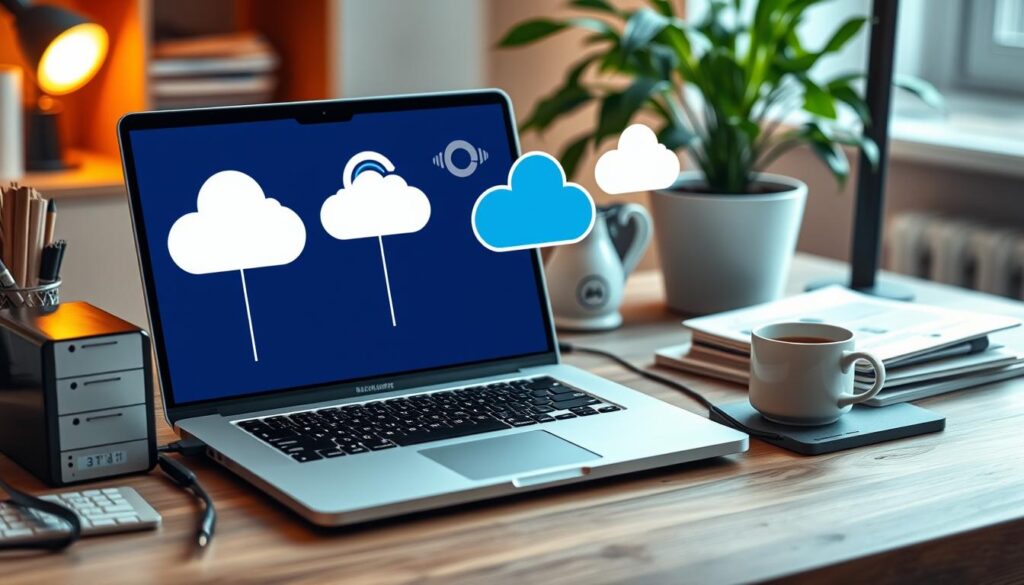
In the digital age, small business owners face the constant threat of data loss. Protecting your critical business information is essential, and choosing the right backup tools and software is crucial. From popular cloud-based solutions to robust on-premise systems, the market offers a wide range of options to consider.
Overview of Popular Backup Solutions
When it comes to small business backups, some of the most widely used backup tools include:
- Dropbox for Business
- Google Drive
- Microsoft OneDrive
- Amazon S3
- Carbonite
- Backblaze
These solutions offer varying levels of data security, storage capacity, and backup automation features, making it essential to evaluate your specific needs and requirements.
Features to Look for in Backup Software
When selecting the right backup tools and software for your home business, consider the following key features:
- Ease of Use: The software should be user-friendly and intuitive, allowing you to manage your backups with minimal effort.
- Backup Scheduling: Automated backup scheduling ensures your data is regularly protected, reducing the risk of manual lapses.
- Incremental Backups: This feature allows you to backup only the changes made since the last backup, saving time and storage space.
- Encryption and Security: Robust encryption and secure storage options are essential to protect your sensitive business data.
- Restore Capabilities: Seamless and reliable data restoration is crucial in the event of a data loss incident.
By carefully evaluating these features, you can find the backup solution that best aligns with your small business needs and provides the peace of mind you deserve.
Creating a Comprehensive Backup Plan
Implementing effective data backup strategies is crucial for the data protection and business continuity of home-based enterprises. To safeguard your critical information, developing a comprehensive backup plan is essential. This section will guide you through the process of setting clear goals, determining the optimal backup frequency, and documenting your backup procedures.
Setting Goals for Data Protection
Begin by defining your data protection goals. What information do you need to prioritize for backup? Consider the sensitivity and value of your data, as well as the potential consequences of data loss. Establishing these objectives will help you create a targeted backup strategy that aligns with your business needs.
Frequency of Backups: Best Practices
- Perform full backups on a weekly or monthly basis, depending on the rate of data accumulation.
- Implement incremental or differential backups daily or several times a week to capture changes since the last full backup.
- Ensure that backup schedules are consistent and that the frequency aligns with the criticality of your data.
Documenting Your Backup Procedures
Create a detailed documentation of your backup processes, including the tools and software used, storage locations, and verification methods. This will help ensure that your backup plan is consistent, easily understood, and can be effectively implemented by you or your team. Regular review and updates to this documentation will keep your backup strategy current and adaptable as your business evolves.
“A comprehensive backup plan is the foundation of effective data protection and business continuity for home-based enterprises.”
By establishing clear goals, implementing best practices for backup frequency, and thoroughly documenting your procedures, you can build a robustdata backup strategythat safeguards your home business’s critical information. This proactive approach ensures your data remains secure and accessible, even in the face of unexpected challenges.
Automating Your Backup Process

As a home business owner, managing your data backup tasks can be a time-consuming and often overlooked responsibility. Fortunately, there’s a solution that can help streamline this critical process: backup automation. By leveraging the power of automation, you can ensure your important data is consistently protected, freeing up your time to focus on other aspects of your business.
Benefits of Automation
Automating your backup process offers several advantages for small businesses:
- Consistent and reliable backups: Automated backup tools remove the risk of human error or forgetfulness, ensuring your data is backed up on a regular schedule.
- Time savings: Automating backups eliminates the need to manually initiate the process, allowing you to focus on more pressing business priorities.
- Improved data security: Automated backups can be configured to encrypt your data and store it securely in the cloud or on external drives, reducing the risk of unauthorized access or data breaches.
Tools for Automating Backups
There are a variety of backup automation tools available that can simplify the backup process for your home business. Some popular options include:
- Cloud-based backup services like Dropbox, Google Drive, or Microsoft OneDrive, which can automatically sync and backup your files.
- Dedicated backup automation software such as Carbonite, Backblaze, or Acronis, which offer comprehensive backup solutions with scheduling and encryption features.
- Built-in backup tools in your operating system, like Time Machine for Mac or File History for Windows, which can be configured to run automatic backups.
When selecting a backup automation tool, consider factors such as ease of use, storage capacity, security features, and integration with your existing systems and workflows.
By automating your backup process, you can ensure your small business backups are consistently and reliably protected, giving you peace of mind and freeing up your time to focus on other important aspects of your home-based operation.
Testing Your Data Backup System
As a home business owner, regularly testing your data backup system is crucial for ensuring reliable disaster recovery and business continuity. Effective backups are the cornerstone of data security, but they are only as good as their ability to restore your critical information when needed.
Importance of Regular Testing
Testing your backup system on a regular basis serves several important purposes:
- Verifies the integrity and completeness of your backup data
- Ensures your ability to successfully restore files, databases, and systems from the backup
- Helps identify any issues or gaps in your backup strategy before a real disaster strikes
- Builds confidence in your data recovery capabilities
How to Perform Backup Tests
Conducting thorough backup tests may seem time-consuming, but it’s a small investment that can save your business from the devastating consequences of data loss. Here are the key steps to follow:
- Select a range of critical data, files, and systems to test
- Initiate a full restore from your most recent backup
- Verify that all data and applications are successfully recovered
- Test the integrity of the restored data by spot-checking files and databases
- Ensure that your business can operate normally using the recovered information
- Document the test results and any issues encountered for future reference
Regular backup testing is an essential part of a comprehensive disaster recovery and data security strategy for your home business. By proactively verifying the reliability of your backups, you can have peace of mind and be better prepared to recover from any unforeseen business continuity challenges.
Implementing Security Measures for Backups

As a home business owner, safeguarding your data backups is crucial. Cyber threats such as ransomware, malware, and unauthorized access can compromise the confidentiality and integrity of your backed-up files. To mitigate these risks, it’s essential to implement robust security measures for your backup system.
Protecting Backup Data from Cyber Threats
One of the primary concerns when it comes to data security is the risk of cyber attacks. To protect your backup data from these threats, consider the following best practices:
- Encrypt your backup data using strong, industry-standard encryption algorithms such as AES-256.
- Implement access controls and multi-factor authentication to limit access to your backup system.
- Regularly scan your backup files for any signs of malware or unauthorized changes.
- Ensure that your backup software and operating systems are kept up-to-date with the latest security patches and updates.
Best Practices for Secure Backup Storage
In addition to protecting your backup data from cyber threats, it’s crucial to implement best practices for secure backup storage. This includes:
- Storing offsite backups in a secure, geographically separate location to mitigate the risk of physical disasters or theft.
- Leveraging cloud storage solutions that offer robust security features, such as data encryption, access controls, and secure data transfer protocols.
- Regularly testing the integrity and recoverability of your backup data to ensure that it can be successfully restored in the event of a data loss incident.
- Implementing a comprehensive backup schedule that includes both full and incremental backups to minimize the risk of data loss.
By following these security best practices, you can protect your home business’s critical data from cyber threats and ensure the confidentiality and availability of your backup files.
| Backup Security Measure | Description |
|---|---|
| Encryption | Use strong encryption algorithms to protect backup data from unauthorized access. |
| Access Controls | Implement access controls and multi-factor authentication to limit access to the backup system. |
| Offsite Backups | Store backup data in a secure, geographically separate location to mitigate physical threats. |
| Cloud Storage | Leverage cloud storage solutions with robust security features to enhance data protection. |
| Regular Testing | Regularly test the integrity and recoverability of backup data to ensure successful restoration. |
Educating Your Team on Backup Protocols
In the world of home businesses, where data is the lifeblood of operations, implementing effective data backup strategies is crucial. Yet, the success of these strategies often hinges on the collective understanding and participation of your team. Educating your employees on the importance of data protection and fostering a backup-conscious culture within your business can be the key to ensuring the long-term viability of your business continuity.
Training Employees on Backup Importance
Educating your team on the significance of data backups is the first step in creating a comprehensive backup plan. Employees should understand the consequences of data loss, the potential threats to your business, and the critical role they play in maintaining a robust backup system. Regular training sessions, workshops, and informative resources can help your team grasp the gravity of the situation and the importance of their individual contributions.
Creating a Backup Culture in Your Business
- Foster a sense of shared responsibility: Encourage your team to take ownership of the backup process and view it as a collective effort.
- Implement backup protocols: Establish clear guidelines and procedures for backing up data, and ensure that all team members are aware of and adhere to these protocols.
- Provide ongoing support: Be available to answer questions, address concerns, and offer guidance to your employees as they navigate the backup process.
- Celebrate successes: Recognize and reward team members who consistently contribute to the maintenance of your backup system, reinforcing the importance of their actions.
By empowering your team and cultivating a backup-conscious culture, you can ensure that implementing effective data backup strategies becomes an integral part of your home business’s operations, safeguarding your critical data and paving the way for long-term business continuity.
Monitoring and Updating Your Backup Strategy
As your home-based business grows and evolves, it’s crucial to regularly review and update your backup strategy to ensure it remains effective and aligned with your changing data protection needs. Regular monitoring and adjustments to your backup plan can help you stay ahead of potential issues and maintain the integrity of your critical business information.
Regularly Reviewing Backup Processes
Periodically assess the performance and reliability of your backup processes. Examine backup logs, success rates, and the time it takes to complete backup operations. Identify any areas that may need improvement, such as slow backup speeds or failed backups. Regularly test your ability to restore data from your backups to ensure they are functioning as intended.
Adjusting Your Backup Plan as Your Business Grows
As your home business expands, the volume and importance of your data will likely increase. Review your backup plan to ensure it can accommodate the growing needs of your organization. Consider factors such as increased storage requirements, the need for faster backup and recovery times, and emerging data protection best practices. Adjust your backup frequency, storage locations, and backup software as necessary to keep your data secure and accessible.

Leave a Reply