

Running a successful home business requires juggling countless tasks, projects, and deadlines. To keep your operations running smoothly, investing in the right project management tools can be a game-changer. From streamlining workflows to boosting productivity, these solutions can help home-based entrepreneurs stay organized, collaborative, and on top of their game.
In this article, we’ll explore some of the top project management tools that can take your home business to new heights. We’ll dive into the key features, pricing options, and use cases for each tool, empowering you to choose the best fit for your unique needs and workflow. By leveraging these powerful platforms, you can unlock a world of efficiency, collaboration, and success for your home-based enterprise.
Key Takeaways
- Project management tools can streamline workflows, boost productivity, and help home businesses stay organized.
- Key features to look for include user-friendly interfaces, collaboration and communication tools, and time tracking capabilities.
- Popular options like Trello, Asana, and ClickUp offer diverse features and pricing structures to suit a range of home business needs.
- Evaluating your specific requirements and budget can help you choose the right project management tool for your home-based enterprise.
- Leveraging these tools can have a significant impact on the success and growth of your home business.
Understanding the Importance of Project Management Tools
In the fast-paced world of home businesses, effective project management is essential for success. Project management encompasses the processes and strategies used to plan, organize, and execute complex tasks. By leveraging task management software, time tracking tools, and other remote team management solutions, home-based entrepreneurs can streamline their operations, boost productivity, and achieve their goals more efficiently.
What is Project Management?
Project management is the art of coordinating and overseeing various components of a project, ensuring that it is completed on time, within budget, and to the desired quality standards. It involves a wide range of activities, such as setting objectives, delegating tasks, monitoring progress, and addressing any challenges that arise along the way.
Benefits for Home Businesses
- Improved organization and task prioritization
- Enhanced collaboration and communication among team members
- Effective time management and increased productivity
- Better visibility into project status and progress
- Reduced risk of missed deadlines and budget overruns
- Increased flexibility and adaptability to changing business needs
“Effective project management is the key to unlocking the full potential of a home business. By streamlining processes and fostering collaboration, these tools can help entrepreneurs focus on what they do best – growing their business.”
By embracing project management tools, home-based businesses can unlock a wealth of benefits, from improved organization and communication to enhanced productivity and profitability. In the following sections, we’ll explore the essential features to look for in project management software and highlight some of the top solutions available in the market.
Features to Look for in Project Management Tools
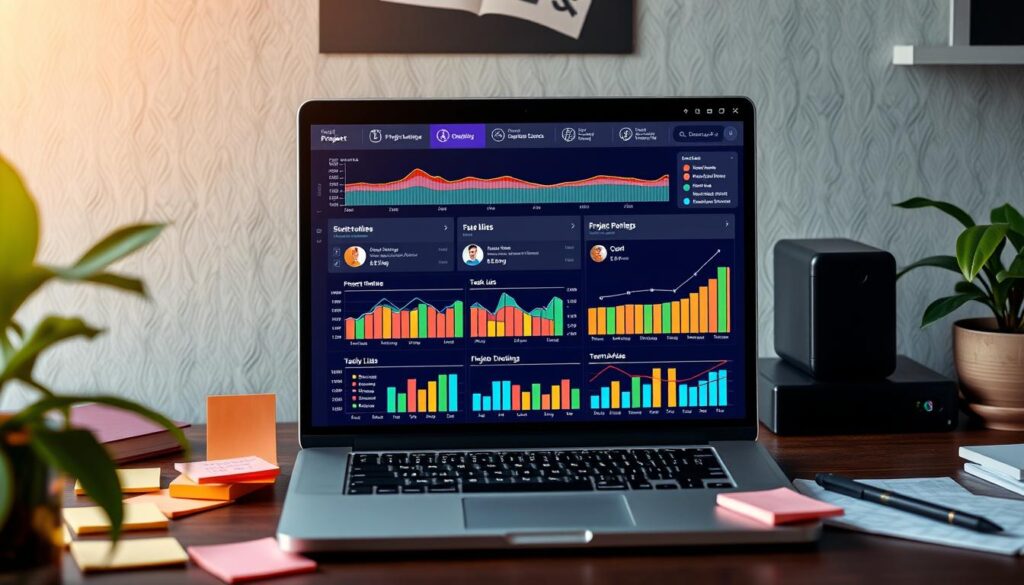
When it comes to selecting the right project management tools for your home business, it’s crucial to consider several key features that can make all the difference in boosting productivity and collaboration. From user-friendly interfaces to powerful collaboration capabilities and time-tracking functionalities, the ideal tool should seamlessly integrate with your daily workflows and empower your team to work more efficiently.
User-Friendly Interface
The user interface of a project management tool should be intuitive and easy to navigate, allowing you and your team to quickly find the information and features you need. Look for tools that offer a clean and uncluttered design, with clear visual cues and intuitive navigation. Collaboration platforms like Trello and Kanban boards are excellent examples of user-friendly interfaces that make project management a breeze.
Collaboration and Communication Tools
Effective collaboration is the backbone of any successful home business. Look for project management tools that offer robust communication features, such as real-time chat, file sharing, and task assignment. Gantt charts and other visual project planning tools can also help your team stay aligned and on track, fostering seamless collaboration throughout the project lifecycle.
Time Tracking Capabilities
Monitoring and managing time is crucial for home businesses, as it helps you understand where your resources are being allocated and identify areas for improvement. Seek out project management tools that offer integrated time tracking features, allowing you to log and analyze time spent on tasks, projects, and team activities. This valuable data can inform your decision-making and help you optimize your workflows for maximum efficiency.
By prioritizing these key features, you can find the perfect project management tool that aligns with your home business needs and empowers your team to achieve greater success.
Overview of the Best Project Management Tools

In the world of home business, project management tools have become essential for staying organized, productive, and on top of tasks. From visual task boards to all-in-one solutions, there are several standout options that can revolutionize the way you manage your projects. Let’s explore three of the top project management tools that are particularly well-suited for home-based entrepreneurs.
Trello: Visual Task Management
Trello is a popular choice for its intuitive and visually appealing interface. This Agile project management tool allows you to create boards, lists, and cards to organize your tasks, assignments, and workflows. With features like drag-and-drop functionality, color-coding, and customizable views, Trello makes it easy to stay on top of your Best project management tools for organizing home business tasks.
Asana: Task Assignment and Tracking
Asana is another widely-used project management solution that excels at task assignment and tracking. This tool enables you to break down projects into smaller, manageable tasks, assign them to team members, and monitor progress. Asana’s calendar view and email integration make it a great choice for Agile project management in the home business context.
ClickUp: All-in-One Solution
For those seeking a comprehensive project management platform, ClickUp could be the answer. This tool combines task management, document collaboration, time tracking, and more into a single, customizable interface. ClickUp’s flexibility and robust features make it an attractive option for home-based businesses looking to streamline their Best project management tools for organizing home business tasks.
| Tool | Key Strengths | Pricing |
|---|---|---|
| Trello | Visual task management, Agile workflows | Free plan, paid plans start at $5/user/month |
| Asana | Task assignment and tracking, calendar view | Free plan, paid plans start at $10.99/user/month |
| ClickUp | Comprehensive all-in-one solution, customization | Free plan, paid plans start at $5/user/month |
“Effective project management is the key to unlocking productivity and success in any home-based business.”
Trello: A Closer Look
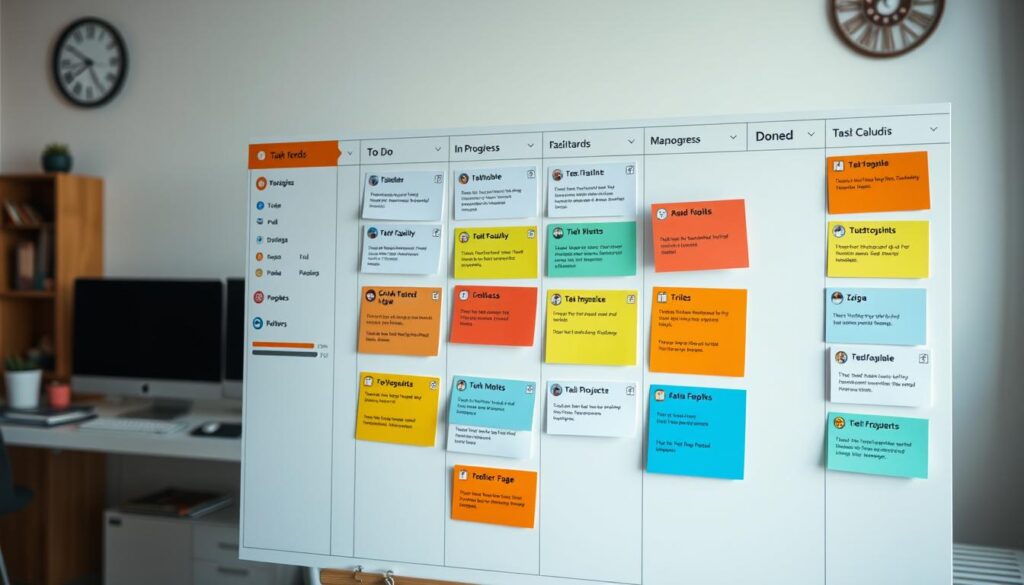
As a popular task management software, Trello offers a dynamic and visually appealing interface that helps home businesses streamline their project management workflows. With its intuitive kanban board-style layout, Trello empowers users to organize tasks, collaborate with team members, and stay on top of their to-do lists.
Key Features of Trello
Trello’s key features include:
- Kanban-style boards to visualize tasks and project progress
- Customizable cards to manage tasks, deadlines, and attachments
- Collaborative tools for team members to comment, share files, and assign responsibilities
- Integrations with other productivity apps, such as Google Drive and Dropbox
- Automation features to streamline repetitive tasks
Pricing Options
Trello offers several pricing tiers to accommodate the needs of home businesses:
- Free plan: Provides access to the core Trello features, including unlimited boards, cards, and attachments.
- Business Class: Offers advanced features like custom backgrounds, calendar view, and increased storage space, starting at $9.99 per user per month.
- Enterprise: Designed for larger teams, this plan includes additional security and administrative controls, with pricing available upon request.
Pros and Cons
Trello’s main advantages include its intuitive interface, extensive customization options, and robust collaboration tools. However, some drawbacks include the limited free plan and the need for additional integrations to access more advanced features.
Overall, Trello’s versatile task management software, kanban boards, and collaboration platforms make it a compelling choice for home businesses looking to streamline their project management processes and boost productivity.
Asana: Enhancing Team Collaboration

In the realm of task management software, Asana stands out as a powerful tool that fosters seamless team collaboration. This intuitive platform empowers remote teams and home businesses to streamline their workflows, automate repetitive tasks, and stay on top of their projects with ease.
Setting Up Projects in Asana
Getting started with Asana is a breeze. The user-friendly interface guides you through the process of setting up new projects, whether you’re working on a solo venture or managing a distributed team. With Asana, you can break down complex tasks into manageable steps, assign responsibilities to team members, and track progress in real-time.
Integration with Other Tools
Asana’s strength lies in its ability to seamlessly integrate with a wide range of other task management software, productivity apps, and communication platforms. This allows home business owners and remote teams to streamline their workflow automation, ensuring that all important information and updates are centralized in one place.
User Experience
The user experience in Asana is designed with efficiency and collaboration in mind. The platform’s intuitive layout, customizable views, and intuitive navigation make it easy for users to stay organized and focused on their tasks. Whether you prefer Kanban boards, calendars, or list views, Asana adapts to your preferred work style, enhancing your productivity and team coordination.
“Asana has been a game-changer for our remote team. The ability to assign tasks, track progress, and communicate directly within the platform has significantly improved our workflow and collaboration.” – Jane Doe, CEO of XYZ Home Business
By leveraging Asana’s comprehensive features, home business owners and remote teams can unlock new levels of efficiency, collaboration, and task management success. As a powerful task management software, Asana empowers users to streamline their workflows, enhance team collaboration, and ultimately, drive their business forward.
ClickUp: Versatile Project Management
In the realm of productivity apps and time tracking tools, ClickUp has emerged as a versatile powerhouse for home businesses. This Agile project management platform offers a seamless blend of features, customization options, and pricing structures, catering to the diverse needs of entrepreneurs and small teams.
Unique Features of ClickUp
ClickUp sets itself apart with an impressive array of features that cater to the dynamic nature of home business operations. From its intuitive task management system to its robust time tracking capabilities, ClickUp provides a comprehensive suite of tools to streamline project workflows and boost productivity. The platform’s flexibility allows users to customize views, dashboards, and automation rules, ensuring a tailored experience that aligns with their specific business requirements.
Customization Options
- Customizable views: ClickUp offers a range of views, including Kanban boards, calendars, and Gantt charts, allowing users to visualize their projects in the most intuitive way.
- Tailored dashboards: Users can create personalized dashboards to track key performance indicators (KPIs) and monitor the progress of their home business projects.
- Automation rules: ClickUp’s automation capabilities enable users to streamline repetitive tasks, reducing the administrative burden and freeing up time for more strategic work.
Pricing Structure
ClickUp caters to the diverse budgets of home businesses with its flexible pricing model. The platform offers a free plan with a generous set of features, making it accessible to startups and small enterprises. For businesses seeking more advanced capabilities, ClickUp provides several paid tiers, each tailored to specific needs and team sizes. This pricing structure allows home business owners to scale their project management solution as their operations grow, ensuring a seamless and cost-effective experience.
“ClickUp has been a game-changer for our home-based business. The platform’s versatility and customization options have allowed us to streamline our workflows and boost our productivity in ways we never thought possible.”
– Jane Doe, Founder, Small Home Business
Wrike: Advanced Project Management
In the world of project management tools, Wrike stands out as a robust and versatile solution that caters to the needs of home businesses. With its comprehensive set of features, Wrike empowers entrepreneurs and small teams to streamline their workflows, enhance collaboration, and gain valuable insights into their projects.
Collaboration Features
Wrike’s collaboration capabilities are a standout feature, making it an excellent choice for home businesses that value seamless teamwork. The platform offers a range of tools to facilitate effective communication and task management, including:
- Real-time updates and notifications to keep all team members informed
- Intuitive Gantt charts for visualizing project timelines and dependencies
- Seamless integration with collaboration platforms and time tracking tools
Reporting and Analytics Tools
Wrike’s advanced reporting and analytics features provide home business owners with valuable insights into their project performance. The platform offers:
- Comprehensive dashboards that display key metrics and KPIs
- Customizable reporting options to track progress and identify areas for improvement
- Robust Gantt charts that help visualize project status and dependencies
Target Audience
Wrike’s versatility and feature-rich capabilities make it an excellent choice for a wide range of home businesses. Whether you’re a solo entrepreneur, a small team, or a growing home-based organization, Wrike’s advanced project management tools can help you streamline your workflows, boost productivity, and achieve your business goals.
| Feature | Description |
|---|---|
| Collaboration Tools | Real-time updates, team communication, Gantt charts |
| Reporting and Analytics | Customizable dashboards, progress tracking, Gantt visualization |
| Target Audience | Solo entrepreneurs, small teams, and growing home-based businesses |
Monday.com: Visual Project Management
In the dynamic landscape of project management tools, Monday.com stands out as a versatile solution that caters to the unique needs of home businesses. With its visually-driven approach, this task management software empowers entrepreneurs to streamline their workflows and enhance collaboration across remote teams.
Layout and Customization
Monday.com’s user-friendly interface is designed to be intuitive and visually appealing. The platform’s customizable boards allow users to organize tasks, projects, and team activities in a seamless manner, fostering a sense of control and clarity. Entrepreneurs can easily tailor the layout to their specific requirements, creating custom views and dashboards that align with their business objectives.
Automation Features
One of the standout features of Monday.com is its robust workflow automation capabilities. Home business owners can automate repetitive tasks, such as project updates, status changes, and notifications, freeing up valuable time and reducing the risk of oversight. This level of automation enhances productivity and ensures that no critical task falls through the cracks.
Use Cases for Home Businesses
Monday.com’s collaboration platforms offer a wide range of applications for home businesses. From managing client projects and deadlines to coordinating virtual team activities, the platform’s versatility allows entrepreneurs to streamline their operations and maintain a clear overview of their business’s progress. Whether it’s organizing sales pipelines, tracking marketing campaigns, or overseeing product development, Monday.com provides a centralized hub for seamless project management.
“Monday.com’s visual approach to project management has been a game-changer for our home-based business. The platform’s intuitive layout and automation features have allowed us to optimize our workflows and stay on top of critical tasks with ease.”
– Jane Doe, Small Business Owner
Choosing the Right Tool for Your Business
Selecting the best project management tool for your home business can be a game-changer. When it comes to boosting productivity and organizing your tasks, the right tool can make all the difference. But with so many options available, how do you choose the one that fits your specific needs? Let’s explore three key factors to consider.
Consider Your Specific Needs
The first step in choosing the right project management tool is to assess your business’s unique requirements. Are you looking for a tool with robust collaboration features to streamline teamwork? Do you need advanced reporting and analytics capabilities to track your progress? Or are you simply seeking a user-friendly interface to keep your tasks organized? Identifying your priorities will help you narrow down the options and find the best fit.
Budget Considerations
Of course, budget is also a crucial factor when selecting a project management tool. While some platforms offer free basic plans, others may come with a more substantial price tag. Evaluate your budget and determine how much you’re willing to invest in a tool that can truly enhance your home business’s productivity. Remember, the right tool can pay for itself in the long run by improving your efficiency and organization.
Seeking Trials and Demos
Before committing to a project management tool, take advantage of the free trials and demos offered by many providers. This will allow you to explore the features, test the user experience, and ensure the tool aligns with your workflow. Hands-on experience can be invaluable in making an informed decision and finding the best project management tools for organizing home business tasks.
By considering your specific needs, budget, and taking the time to explore different options, you can confidently choose the project management tool that will propel your home business to new levels of productivity and success.
Final Thoughts on Project Management Tools
As we’ve explored, investing in the right project management tools can be a game-changer for home-based businesses. These sophisticated yet user-friendly platforms not only encourage productivity and organization but also have a profound impact on overall business success.
Encouraging Productivity and Organization
From task management and workflow automation to real-time collaboration and reporting, project management tools offer a suite of features that empower home-based entrepreneurs to streamline their operations. By centralizing all your business activities, these platforms help you stay on top of deadlines, delegate tasks effectively, and maintain a clear overview of your projects, leading to enhanced productivity and efficiency.
The Impact on Home Business Success
The adoption of task management software, remote team management solutions, and workflow automation tools can significantly contribute to the success of your home-based business. These powerful platforms enable you to optimize your processes, improve communication and collaboration, and make data-driven decisions, ultimately driving growth, profitability, and customer satisfaction. Embracing these cutting-edge tools can be the catalyst your home business needs to thrive in today’s competitive landscape.

Leave a Reply